All Products / Video & Photo Presets



Video & Photo Presets
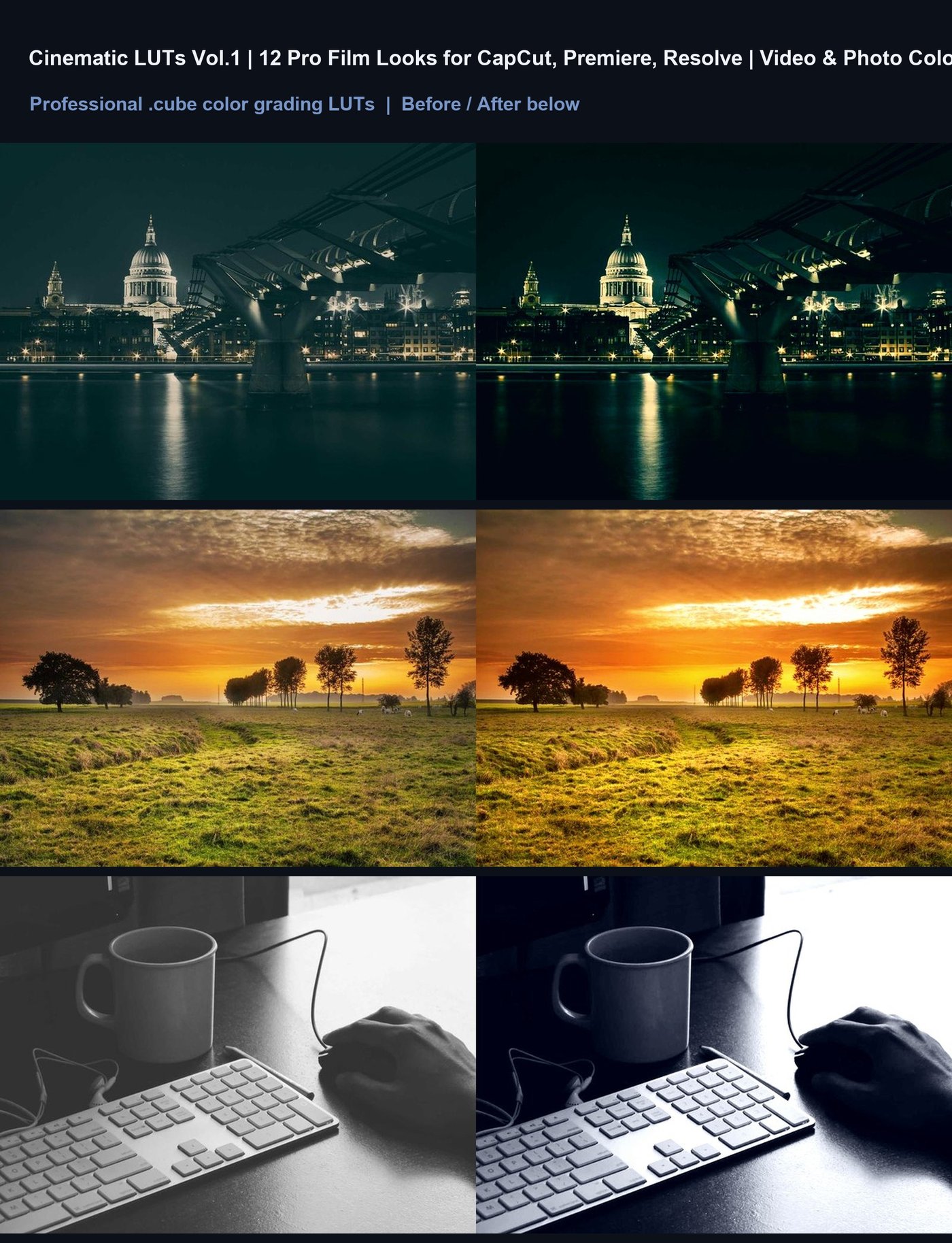
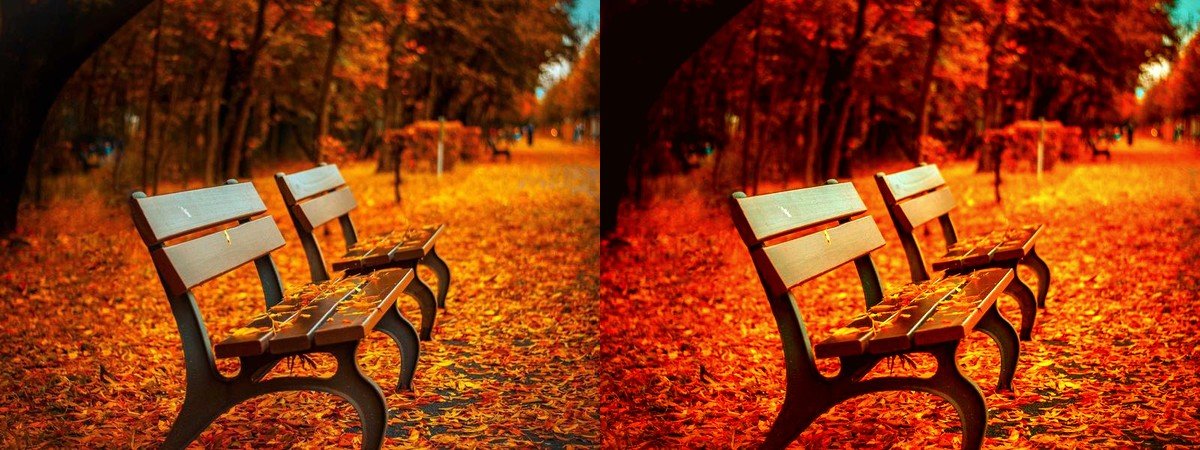
Cinematic LUTs Vol.1 — 12 Film Color Grading Presets
12 professional .cube LUTs for CapCut, Premiere Pro, DaVinci Resolve & Final Cut. Instant cinematic color for video & photo.
$15
Buy on Whop
Why you'll love it
- 12 Unique Cinematic Looks: From blockbuster teal-orange to moody noir and vintage film.
- Universal Compatibility: Works instantly with CapCut, Premiere Pro, DaVinci Resolve, FCP, AE, and Lightroom.
- Video & Photo Ready: Optimized for both dynamic footage and still photography.
- Pro-Grade .cube Files: Standard industry format ensuring high-quality color mapping.
- Fast Workflow: One-click application to save hours of manual color correction.
- Instant Aesthetic Upgrade: Turn raw, flat footage into polished, filmic content.
What's included
Welcome to Cinematic LUTs Vol.1! Thank you for your purchase. To use these .cube files, simply import them into your preferred software: In CapCut, go to Filters > LUTs > Import; in Premiere Pro, open the Lumetri Color panel and load the .cube file; in DaVinci Resolve, import via the LUT Library; in Lightroom, go to Develop > Presets > New Preset from Current Settings (or import as XMP if converted, though .cube is native to video apps); in After Effects, use the LUT 3D effect. For best results, apply the LUT after basic exposure and white balance corrections. Enjoy creating!